A link. A folder. A file.
Read a public repository, choose local files or open a saved map.
 SkylensePREVIEW
Move from the big picture to the source behind it.
Explore files, symbols and relationships in one connected workspace.
No account or API key. Local file analysis stays in your browser.
Read a public repository, choose local files or open a saved map.
Review analyzed files, skipped content and unresolved relationships.
Follow relationships, add route waypoints and open the source evidence.
From overview to understanding
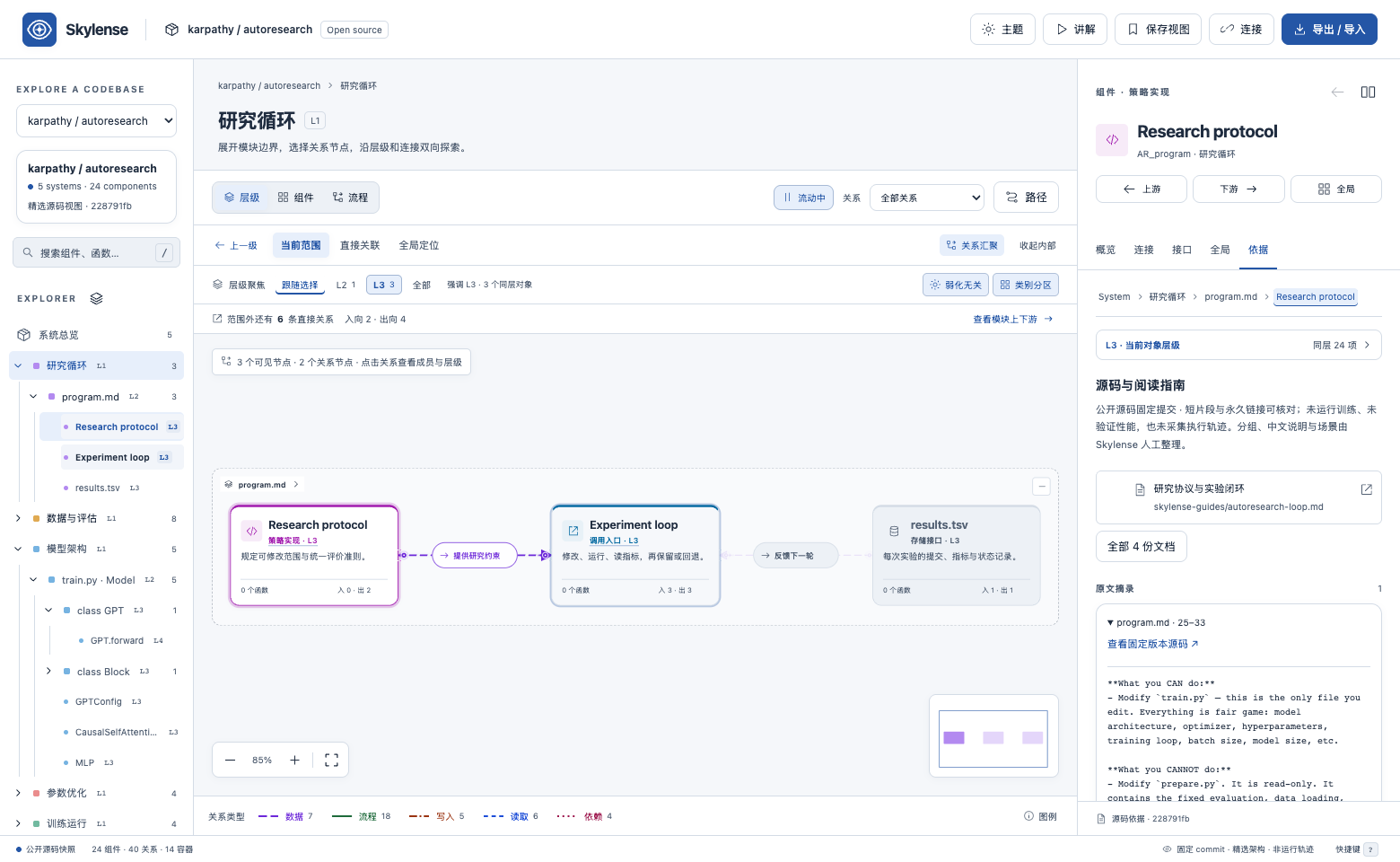
Navigate a generated source map with the same hierarchy, relationship lenses, multi-point paths and source previews as the example workspaces.
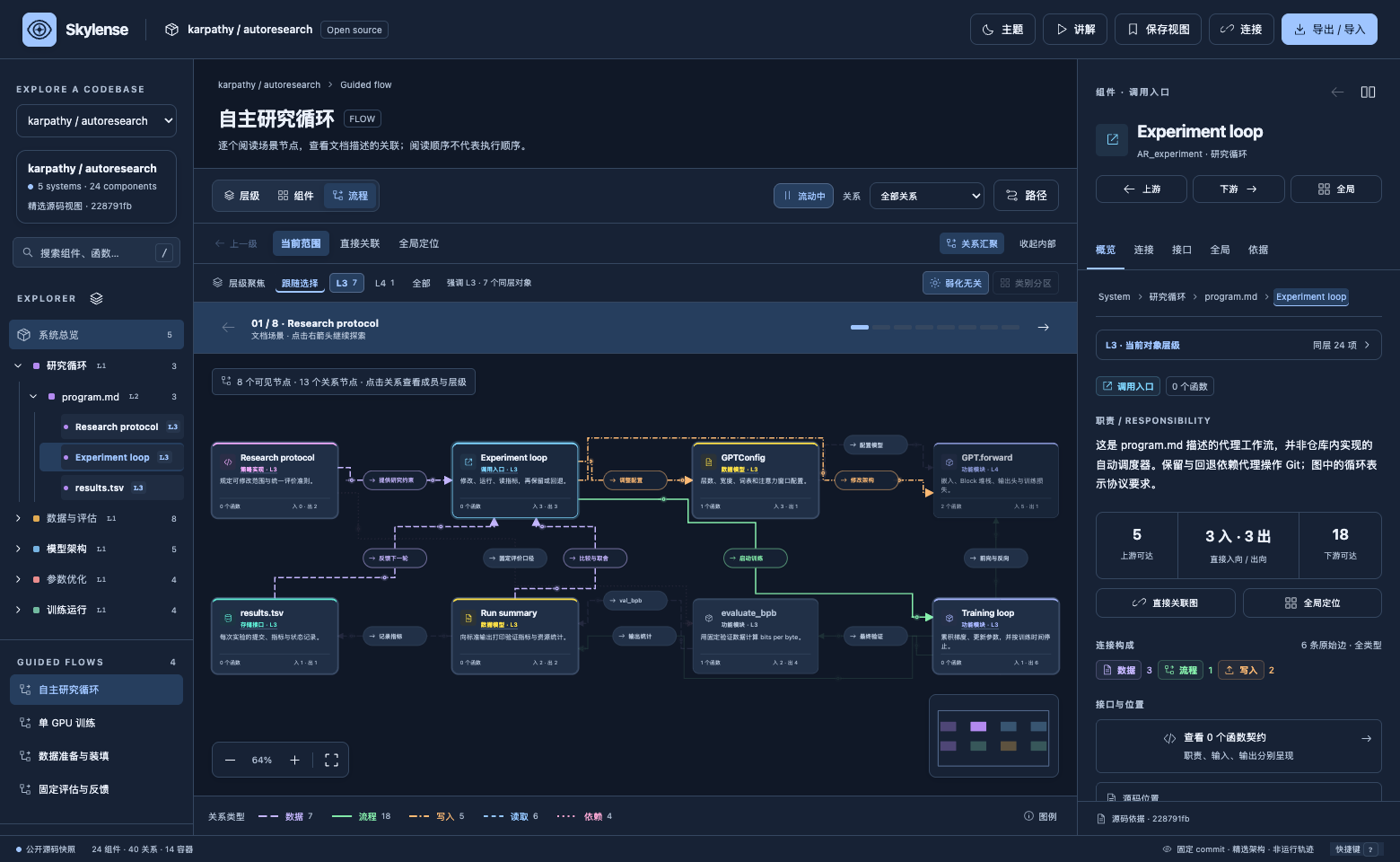
Expand folders and files into source modules, classes, functions and methods. Highlight peers, dim unrelated modules and keep your parent context.
Choose a source guide by its entry name, module and relationship purpose. See its objects highlighted in the same tree, follow connections, then return to your previous view.
Inspect line-numbered source excerpts and the evidence behind a relationship. GitHub source links stay pinned to the analyzed revision.
A map that moves with you
Readable right-angle connections and guided flows make complex relationships easier to explain. Pause motion whenever you need.
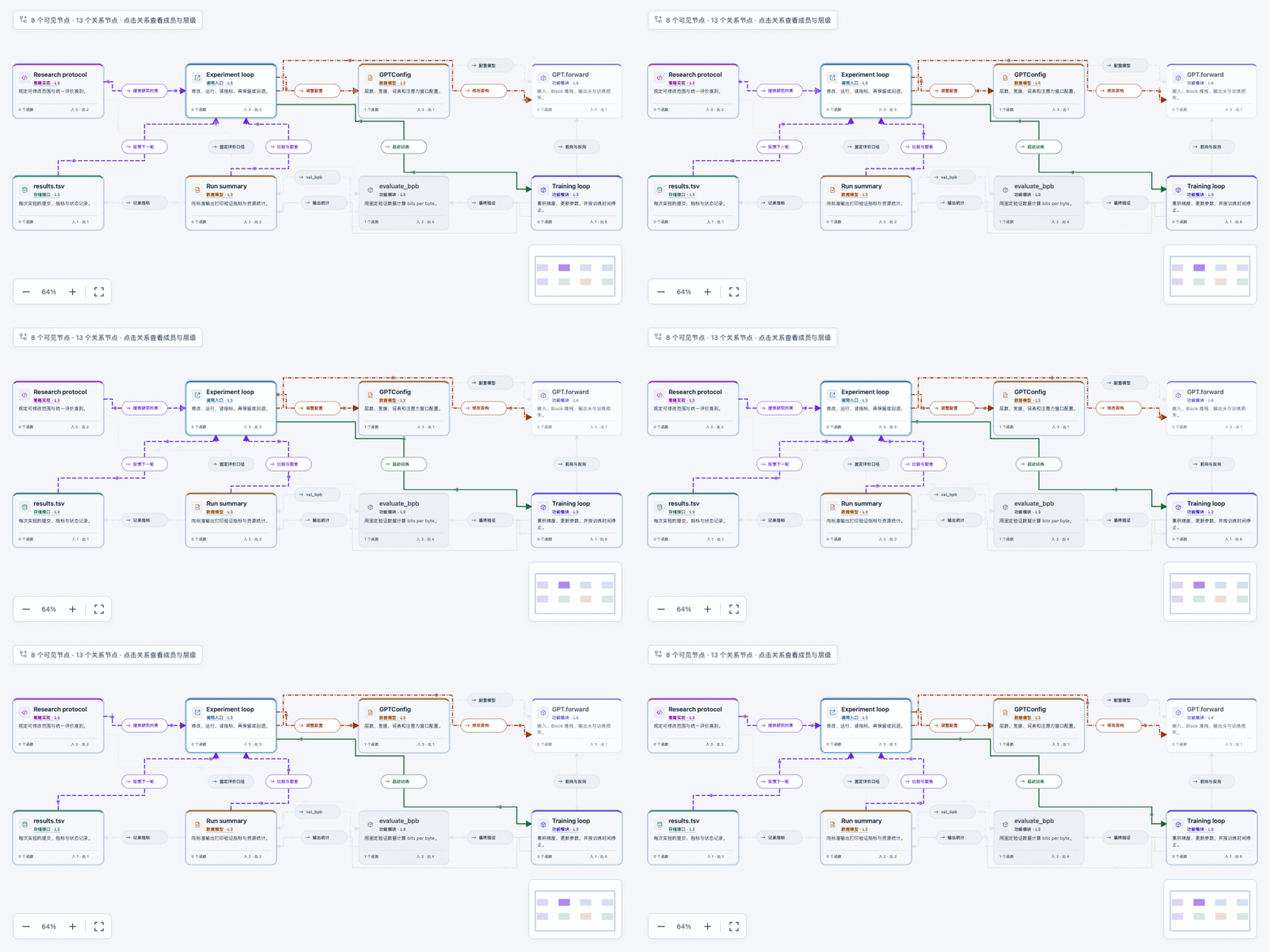
Actual app recording. Animated connections indicate direction in a curated map, not live execution or measured traffic.
Bring your own source
Open a folder, a public GitHub repository, or a webpage. Review what was read, then explore the same layers, paths and source previews.
Select files locally, paste text, or enter a public URL. Local file analysis stays in your browser.
Coverage report included Choose a sourceCOMMAND LINEskylense open ./project
Analyze and start the full local Web app. Public webpage reading also works without browser CORS restrictions.
Node.js 22+ Read the guideCODING AGENTSNine MCP tools and a portable skill. Let your agent analyze, query and inspect a map, then open the full visual workspace.
Same model, same UI Connect an agentComplete indexing is the default. 24 bundled syntax grammars, cached unchanged files, and project-aware reference resolution feed the same workbench. Large maps unfold by module or page; the full graph remains searchable. Unsupported syntax and uncertain dispatch stay explicit.
Start with something real
Hand-organized architecture stories at fixed source revisions. Use these to discover the workbench, then bring your own project.
Follow an experiment through GPT training, evaluation, and the next iteration.
karpathy / autoresearch Explore mapCURATED / AGENT ORCHESTRATIONMove from graph compilation to execution, shared state, and checkpoints.
langchain-ai / langgraph Explore mapCURATED / INFERENCE SYSTEMSTrace requests through scheduling, KV cache management, and GPU execution.
vllm-project / vllm Explore mapThese curated examples include annotated concepts and guided flows. Automatic source maps show the files, symbols and static relationships found in your selected source; they do not invent the same semantic narrative.
Make room for your way of working
Warm paper, cool porcelain, or a quieter night shift. Switch themes without losing your place.
Midnight — deep blue surfaces and an ice-blue focus.
Beyond the browser
Keep your terminal open. Give your coding agent a structured view of the architecture. Both read the same model as the Web app.
Explore a generated map from your terminal: expand the tree, search symbols and read the same relationships with your keyboard.
Analyze a source, export its model, then search, inspect, traverse and open the full visual workspace. Connect a client that supports local stdio MCP.
# Open your project in the full Web app
$ skylense open ./project# Save a map for your tools
$ skylense analyze ./project \
    --output project-map.json
# Give your agent access to this folder
$ skylense config --root ./projectGet from curious to exploring
Try it now, or keep an offline copy for your next deep dive.
Yes. Enter a public GitHub repository above, or choose a local folder, files, webpage or text in the app. Complete eligible-source indexing is the default, with 24 bundled syntax grammars, incremental file reuse and project-aware references. JavaScript/TypeScript also uses the compiler symbol table; Julia preserves possible method targets as marked candidates. The coverage report separates source collection, syntax errors, unresolved semantics and preview excerpts. Large maps expand progressively without deleting analysis data.
The tree shows where code lives. Source guides group connected objects to read together, with short entry names, module context, categories and exact relationship counts. Browse the current module or all guides; selections stay synchronized with the graph and tree. These are static reading neighborhoods with possible branches, not runtime traces. The full graph remains available for path search and upstream/downstream exploration.
Check that the repository is public and the URL points to a repository or subtree. GitHub rate limits and browser CORS rules can prevent remote reading. You can select a local checkout instead, or use skylense open ./project with the downloadable toolkit. Read the source guide.
This release is a browser app with offline HTML, plus a local Node.js toolkit. A native macOS installer is not available yet.
Skylense is available as a downloadable application preview. Source licensing and commercial rights remain reserved. The attributed examples, bundled parsers and compiler retain their upstream licenses. Read the preview notice.
Models stay in the current browser session. Syntax facts and verified public GitHub file bytes are cached locally to speed up repeat analysis; selected source files are not uploaded. The local MCP process reads requested public URLs and source files inside an explicitly configured root. Connected agents receive query results according to their own data policies. Read the data boundaries.
The preview's interface is primarily Chinese, with source symbols in their original language. This site and the getting-started guides are available in English; a Chinese README is also provided.